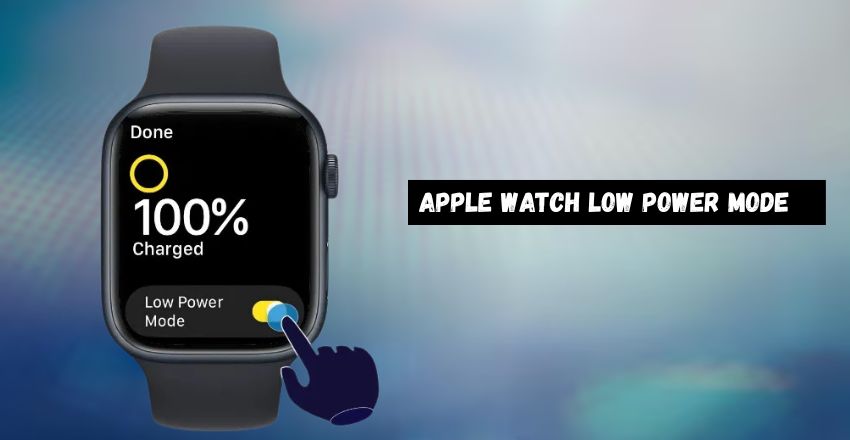
Getting Insight Into the Apple Watch Low Power Mode
The Apple watch low power mode is one of Apple’s most brilliant energy-saving innovations, introduced with watchOS 9 to extend battery life across models like Series 4, 8, and the powerful Ultra 2. Designed by Apple Inc., founded on April 1, 1976, in Cupertino, California, this feature reflects the company’s legacy of blending technology and efficiency.
By reducing background tasks such as heart rate and oxygen tracking, the Apple watch low power mode helps the standard Series 8 last up to 36 hours and the Ultra series up to 72 hours. With simple activation in Settings or Control Center, users can enjoy essential functions like calls, messages, and timekeeping while saving power, making it ideal for travel, fitness, or long workdays without needing to charge.
| Basics | Details |
| Purpose | Extends Apple Watch battery life. |
| Function | Limits nonessential background tasks. |
| Display | Turns off the always-on screen to save power. |
| Key Features | Time, calls, and messages stay active. |
| Activation | Swipe up → Battery → Toggle on. |
| Settings Option | Enable via Settings → Battery. |
| Duration | Choose 1–3 days as needed. |
| Normal Life | Series 8 typically lasts ~18 hours. |
| Extended Life | Up to 36 hours in Low Power Mode. |
| Ultra Model | Lasts about 72 hours in this mode. |
| Disabled Tasks | Heart rate and oxygen tracking paused. |
| Connectivity | Wi-Fi and cellular are limited to conserve power. |
| Ideal Use | Long trips, workdays, or flights. |
| Compatibility | watchOS 9+, Series 4 and newer. |
| Workout Mode | Auto-activates for long sessions. |
| Extra Tips | Lower brightness and close unused apps. |
What does the Apple Watch Low Power Mode do?
The Apple watch low power mode helps save battery by limiting nonessential features. It pauses functions like background heart rate readings, blood oxygen tracking, and irregular rhythm alerts. The always-on display and automatic workout detection are turned off. Despite these changes, core features such as timekeeping, messages, calls, and activity tracking still work efficiently, helping your watch last much longer between charges.
How to Turn On Low Power Mode?

You can easily activate Watch Low Power Mode through the Control Center. Swipe up on your watch face, tap the battery percentage, and toggle the mode on. You can also go to Settings > Battery and enable it there. Some models let you choose to turn it on for 1, 2, or 3 days, depending on your power-saving needs and charging schedule. Watch Low Power Mode extends battery life by limiting background activity while keeping essential functions active.
Battery Life Improvements
When Low Power Mode is enabled, the Apple Watch’s battery performance increases noticeably. A standard Apple Watch, like the Series 8, typically lasts up to 18 hours on regular use, but with this mode turned on, it can last about 36 hours. The Apple Watch Ultra models perform even better, lasting up to 72 hours in Low Power Mode, making them ideal for longer outdoor or travel adventures.
Features Disabled
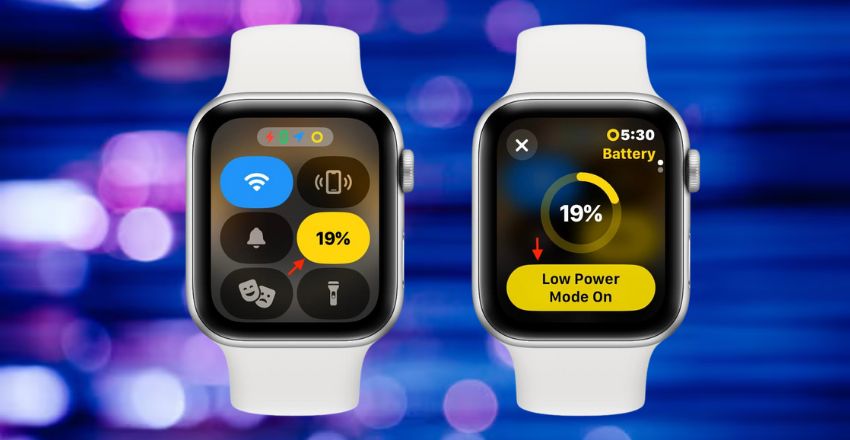
- Activating Low Power Mode turns off certain background functions to preserve energy.
- Continuous heart rate monitoring, blood oxygen level tracking, and automatic workout reminders are paused.
- The always-on display feature turns off, and Wi-Fi or cellular activity becomes limited.
- Notifications might update less frequently, but basic features such as alarms, timers, messages, and call alerts remain available to ensure smooth, essential operation throughout the day.
Best Times to Use
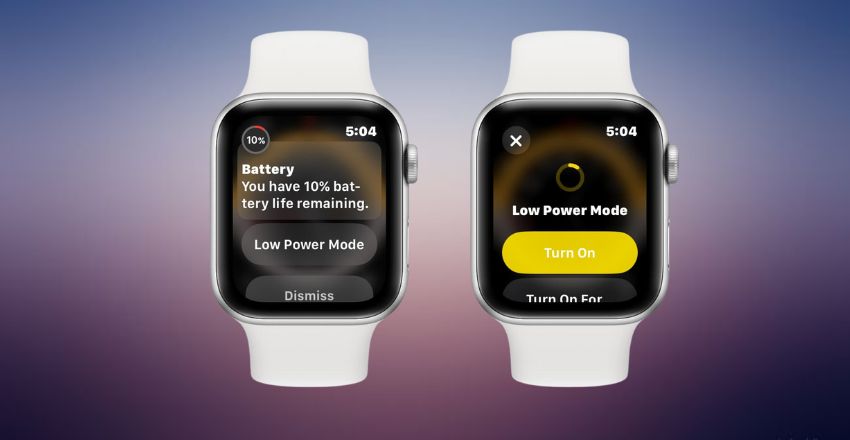
Apple watch low power mode is perfect when you expect long hours without access to a charger. It’s beneficial during long trips, hikes, flights, or extended workdays. Many users also enable it overnight or on travel days to extend battery life. The watch can even suggest turning it on automatically when the battery level drops to 10 percent.
Compatibility and System Requirements

Low Power Mode was introduced with watchOS 9 and is available on the Apple Watch Series 4 and later models. It works best with updated software, as Apple continuously refines battery management features. Earlier models do not support this mode due to hardware limitations. Users with newer devices, such as the Apple Watch Series 9 or Ultra 2, can achieve the most efficient and stable power-saving performance.
How to Use During Workouts?
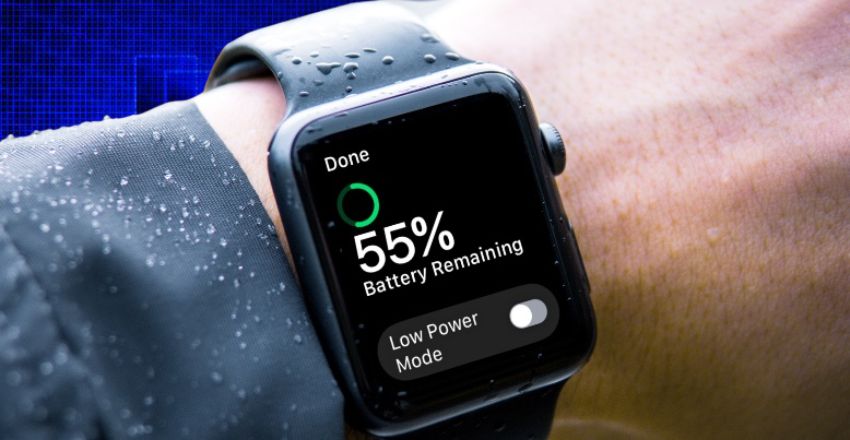
- You can activate Apple watch low power mode during workouts to make your battery last through long exercise sessions.
- This feature can be automatically triggered when you start the Workout app.
- While it pauses metrics like blood oxygen readings, it continues tracking time, distance, and calories.
- It’s beneficial for marathon runners or hikers who rely on their watch for long hours of fitness monitoring.
Tips to Maximize Battery Life
To get the most benefit from Low Power Mode, combine it with other power-saving habits. Lower your screen brightness, close unused apps, and turn off unnecessary notifications. Keeping Bluetooth connected to your iPhone helps reduce battery drain. You can also disable “Wake Screen on Wrist Raise” and keep your software updated to ensure optimal battery efficiency and longer performance under Low Power Mode.
Conclusion
The Apple watch low power mode is a practical and reliable solution for users who need extended battery life without losing essential functions. By limiting background features like heart rate tracking and display activity, it ensures longer performance, up to 36 hours on Series 8 and 72 hours on Ultra models. Easy to activate and highly efficient, this mode reflects Apple’s dedication to innovative technology, helping users stay connected, active, and powered throughout their busy day.
Apart from that, if you want to know more about Crawl Space Encapsulation Explained: How Vapor Barriers, Costs, Benefits, Insulation, and Dehumidifiers Work Together then visit our Quick Bites category.
FAQs
Watch low power mode is a battery-saving feature that reduces background activities and turns off nonessential functions, allowing your watch to last significantly longer on a single charge.
You can enable it by swiping up on the watch face, tapping the battery icon, and switching on Low Power Mode through the Control Center or the Settings app.
In this mode, the Apple Watch Series 8 can last up to 36 hours, while the Ultra models may extend usage to nearly 72 hours, depending on activity levels.